Businesses in ChatGPT: how to claim your company profile
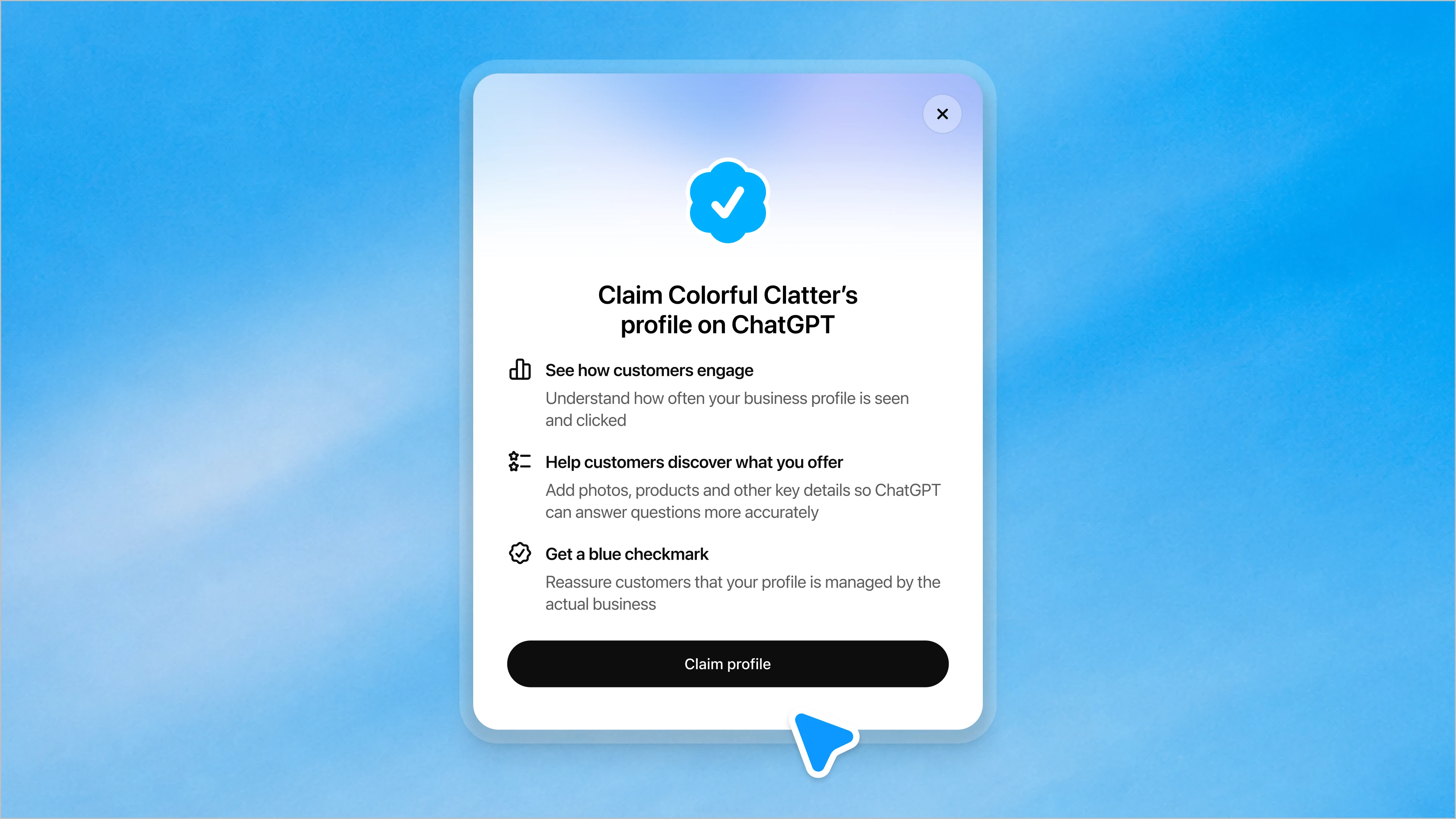
Ask ChatGPT for a good accounting tool, a reliable webshop for running shoes or a software agency in Limburg, and it will happily name companies. Until this week, those companies had no say in what ChatGPT said about them. If the information was outdated, wrong or simply incomplete, there wasn't much a business owner could do except hope the model picked up the right version of their website next time.
That just changed. On November 10, 2026, OpenAI launched Businesses in ChatGPT in beta. Through a new Business Hub, companies can claim their profile inside ChatGPT, correct the details it shows, upload product information and see how often ChatGPT actually sends people their way. OpenAI also published a step-by-step help article on how the setup works, and it's worth reading closely, because there are a few details that matter a lot for businesses outside the United States.
Think Google Business Profile, but for an AI assistant
The easiest comparison is Google Business Profile. Google has listings for millions of companies whether they asked for one or not, and owners can claim theirs to take control of it. Businesses in ChatGPT follows the same idea. ChatGPT already "knows" about your company. Claiming the profile gives you a way to manage what it knows.
According to OpenAI, any eligible business located in a country where ChatGPT is available can claim its listing. That includes the Netherlands and Belgium. You don't need a ChatGPT Ads account, an Enterprise contract or a paid subscription to do it. Digiday reports that Business Hub is free for now, although OpenAI hasn't ruled out charging for parts of it later.
One thing to avoid confusing: this has nothing to do with ChatGPT Business, the paid team subscription that used to be called ChatGPT Team. Buying seats for your colleagues doesn't verify you as the owner of a company profile. They're two completely separate products with an unfortunately similar name.
How the setup actually works
The process starts at chatgpt.com/business-hub, or through the Business Hub option in ChatGPT's sidebar on the web. You search for your business, pick the right listing and then prove you're allowed to manage it.
OpenAI's setup guide lists four verification methods, and you'll only be offered the ones that fit your listing:
- Business phone: receive a code by SMS or call and enter it.
- Business email: receive a code at a business address and enter it.
- Domain verification: add a TXT record to your domain's DNS, then click verify.
- Shopify: connect your Shopify store and approve the permissions.
For most companies with their own website, the DNS route will be the most straightforward. It's the same type of check you've probably done before for Google Search Console or an email provider.
That's only the first step. After the claim is approved, there's a second identity check through Persona, a third-party verification service. Until that's done, you can't publish changes, view insights or build an agent. Once Persona approves you, your profile gets a blue verified check.
There's a catch that's easy to miss here. Profiles created through Persona are published automatically the moment they're approved. Only unpublished drafts can be deleted, and OpenAI says its support team can't remove, unpublish or hide a profile once it's live. So check every detail before you submit, not after.
The local business problem
This is where it gets less exciting for a lot of Dutch and Belgian companies. At launch, the beta is mainly built around online businesses with a website. Local businesses like shops, restaurants and salons can currently only claim an existing listing in the United States.
In practice, that means a SaaS company in Eindhoven or a webshop in Antwerp can get started right away. A bakery in Maastricht or a dentist in Hasselt probably can't, at least not yet. OpenAI says it plans to expand to more markets and business categories over time, but there's no published timeline.
Another limitation for agencies and holding companies: every brand is managed separately. There's no central dashboard for a parent company with multiple brands or locations. If you run five webshops, that's five separate claims.
The insights are the most interesting part
Once you're verified, Business Hub shows you aggregated data over a 28-day window: how often ChatGPT mentions your business, how many clicks it sends to your website and which topics come up in conversations where your site is cited.
The way a mention is counted matters. For an online business, ChatGPT has to actually reference your website. Simply naming your brand in an answer doesn't count. For local businesses, a mention is counted when ChatGPT shows a result for that location.
You won't see individual prompts or conversations. OpenAI is clear that businesses never get access to what users actually typed. And if a metric is blank, that doesn't necessarily mean nobody found you. It can also mean the activity hasn't reached the privacy threshold needed to report it.
For anyone working in SEO or marketing, this is a pretty big deal. Until now, brands that wanted to know how visible they were in ChatGPT had to rely on third-party tools that estimate it from the outside. Now there's first-party data straight from OpenAI. It's limited and aggregated, but it's real.
Product feeds and Shopify
Retailers can also add product feeds with prices and stock information, so ChatGPT has accurate data when it recommends products. OpenAI's feed specification requires fields such as product ID, title, description, URL, brand, image, availability and price. Worth noting: the standard feed uploads currently target the US market, so don't expect a Dutch product catalog to suddenly show up everywhere.
Shopify merchants get the smoothest route. They can connect their store from Business Hub or install the free ChatGPT app from the Shopify admin. Eligible products from Shopify stores are already available in ChatGPT through Shopify Catalog, so there's no need to maintain a separate feed. That said, a Shopify store isn't required to claim a business. WooCommerce, Wix or custom-built webshops can go through the regular Business Hub route.
Business Agents: your own chatbot inside ChatGPT, if you're in the US
The second part of the launch is Business Agents. These let a business run its own AI representative inside ChatGPT. When a user comes across your company in an answer, they can open your profile and start a separate conversation with your agent. It answers questions based on the product information, policies and instructions you provide.
That conversation is labeled clearly and kept separate from the user's original chat and from ChatGPT's own answers. The agent can explain products and link to your website, but it can't complete purchases, make bookings, look up orders or use plugins.
For now, Business Agents are only available to eligible ecommerce and online service businesses in the United States. A verified profile in the Netherlands doesn't unlock the agent, and paying for a subscription won't change that either.
There's also a clear commercial angle. Businesses can sponsor their agent and use it as the destination for ChatGPT Ads, with sponsored placements labeled as such. OpenAI started testing this format with selected US advertisers in September. The agent itself is the free, organic version. The ad is how you pay to get more people talking to it.
Claiming doesn't buy you a better ranking
OpenAI is careful to point out what claiming your profile doesn't do. ChatGPT will keep making its own recommendations and comparisons, and a verified profile doesn't guarantee higher placement or more sales. OpenAI's terms also allow information from other sources to keep appearing, so you don't get exclusive control over how ChatGPT talks about you.
What you do get is a way to make sure the basics are right. Correct opening hours, a current description, the right website and accurate products. For a lot of companies, that alone is worth the half hour it takes to set up.
Should you claim your profile now?
If you run an online business with your own website, the short answer is yes. It's free, it takes little effort and the alternative is letting someone else claim it first. OpenAI does have a dispute process for listings claimed by the wrong party, but it's much easier to avoid that situation altogether.
Before you start, make sure you know who in your organization will own the account long-term, who can edit your DNS and whether your trading name, legal name and website details all line up. Inconsistencies between those are exactly the kind of thing that slows down verification.
For local businesses in Europe, it's a matter of waiting. And for anyone hoping to put an AI sales assistant in front of 1.2 billion weekly ChatGPT users, the US restriction will be the biggest frustration of this launch.
The bigger picture is clear though. Search used to be about getting your website to rank on Google. More and more of that discovery now happens inside AI assistants. With Business Hub, OpenAI is turning ChatGPT into a platform businesses actively manage, measure and eventually pay for. Google built a business on that exact model. OpenAI clearly intends to do the same.